
Detektivo
Detektivo is a powerful full-text search and indexing addon for Cockpit CMS. It provides lightning-fast search capabilities with support for fuzzy matching, faceted filtering, and multiple storage backends.
- Overview
- Features
- Storage Backends
- SQLite FTS5 (Default)
- Meilisearch
- Configuration
- SQLite (Default)
- Meilisearch
- Meilisearch with Custom URL
- Creating Indexes
- Via Admin Interface
- Index Configuration
- Managing Indexes
- Rebuilding Indexes
- Automatic Updates
- Search Features
- Basic Search
- Phrase Search
- Fuzzy Search (Meilisearch)
- Filtering (Meilisearch)
- Best Practices
- Index Design
- Performance
- Content Considerations
- Troubleshooting
- Search Returns No Results
- Meilisearch Connection Issues
- Index Not Updating
Overview
Detektivo streamlines content search without requiring third-party services like Algolia or Elasticsearch for small to mid-size projects. For larger deployments, it seamlessly integrates with Meilisearch for enhanced performance.
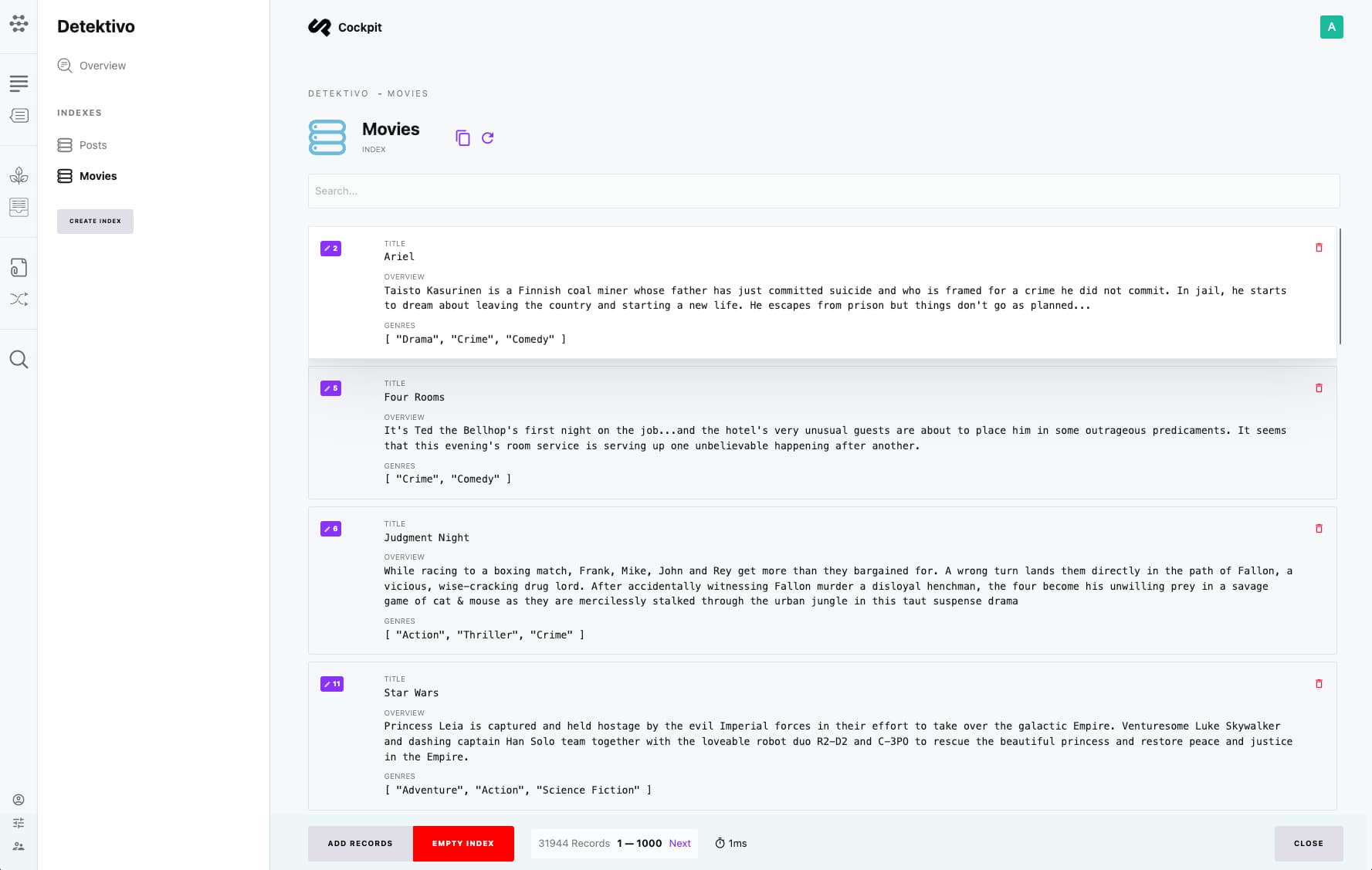
Features
- Full-Text Search: Search across all indexed content
- Fuzzy Matching: Find results even with typos
- Faceted Filtering: Filter results by categories, tags, etc.
- Real-Time Indexing: Content updates are immediately searchable
- Multi-Language Support: Search works across all locales
- Two Storage Backends: SQLite FTS5 or Meilisearch
Storage Backends
SQLite FTS5 (Default)
The default backend uses SQLite's Full-Text Search 5 extension. No additional configuration is needed - it works out of the box.
Best for:
- Small to mid-size projects
- Simple deployment requirements
- Projects without external dependencies
Meilisearch
Meilisearch is an open-source search engine that provides advanced features and better performance for larger datasets.
Best for:
- Large content repositories
- High-traffic applications
- Advanced search requirements (typo tolerance, synonyms, etc.)
Configuration
SQLite (Default)
No configuration required. Detektivo automatically uses SQLite FTS5.
Meilisearch
Add to /config/config.php:
<?php

return [
    'search' => [
        'server' => 'meilisearch://localhost:7700',
        'options' => [
            'api_key' => getenv('MEILISEARCH_KEY')
        ]
    ]
];
Set in your .env file:
MEILISEARCH_KEY=your-master-keyMeilisearch with Custom URL
'search' => [
    'server' => 'meilisearch://search.yourdomain.com',
    'options' => [
        'api_key' => getenv('MEILISEARCH_KEY')
    ]
]
Creating Indexes
Via Admin Interface
- Navigate to Detektivo in the admin menu
- Click Add Index
- Configure the index:
| Field | Description |
|---|---|
| Name | Unique identifier for the index |
| Label | Display name |
| Source | Content model to index (Collection, Singleton, Tree) |
| Fields | Fields to include in the index |
| Filters | Optional conditions for which items to index |
- Click Save to create the index
- Click Rebuild to populate the index with existing content
Index Configuration
When creating an index, you specify:
- Source Model: Which collection, singleton, or tree to index
- Indexed Fields: Which fields should be searchable
- Filter Criteria: Optional filters to include only certain items
Managing Indexes
Rebuilding Indexes
If content was added before the index existed, or if you change index configuration:
- Open the index in Detektivo
- Click Rebuild Index
This reprocesses all matching content and updates the search index.
Automatic Updates
Once an index is created, Detektivo automatically:
- Adds new content when created
- Updates index entries when content changes
- Removes entries when content is deleted
Search Features
Basic Search
Search across all indexed fields:
laptop computerPhrase Search
Search for exact phrases:
"gaming laptop"Fuzzy Search (Meilisearch)
Meilisearch automatically handles typos:
laptpo → finds "laptop"Filtering (Meilisearch)
Combine search with filters:
?q=laptop&filter=category:electronicsBest Practices
Index Design
- Be Selective: Only index fields that need to be searchable
- Group Related Content: Consider creating multiple indexes for different search contexts
- Use Filters: Limit indexes to relevant content (e.g., published items only)
Performance
- SQLite: Works well for up to ~50,000 documents
- Meilisearch: Recommended for larger datasets or heavy search traffic
Content Considerations
- Index text content, not complex nested structures
- Consider which locales need to be searchable
- Use meaningful field names for faceted navigation
Troubleshooting
Search Returns No Results
- Verify the index has been rebuilt after content changes
- Check that queried terms exist in indexed fields
- Ensure content matches any index filters
Meilisearch Connection Issues
- Verify server URL is correct
- Check API key permissions
- Ensure Meilisearch is running and accessible
Index Not Updating
- Check Cockpit logs for indexing errors
- Verify content model hasn't changed
- Try rebuilding the index manually